
Set up the basic Coveo:
- Create source - source coveo_test_index. (Select whatever way you want to get your source)


2. Create a query pipeline
1). Overview => Identify your information. On Confidtion, you can set up the search hub(Search Hub is Test). Note: The search hub is not defined by coveo platform, it is passed by your search engine.
1 2 3 4 5 6 7 8 | // Coveo headless search engine configuration const configuration: SearchEngineConfiguration = { organizationId: process.env.COVEO_ORIGANIZATION_ID || '', accessToken: process.env.COVEO_ACCESS_TOKEN || '', search: { searchHub: 'Test', },}; |
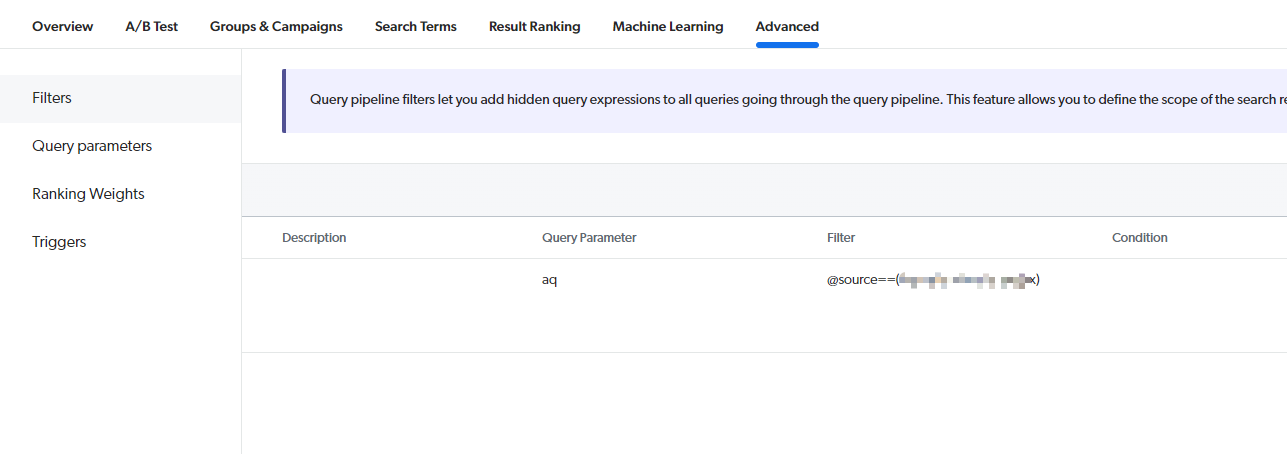
2). Advanced => filter: configure which source you want for this query pipeline by using `aq: @source==( coveo_test_index)`
3. Create the API key for the application. API key has different rights. so make sure the API key will not enforce other specific search hubs.
1). Create a new API key with the search hub is Test.
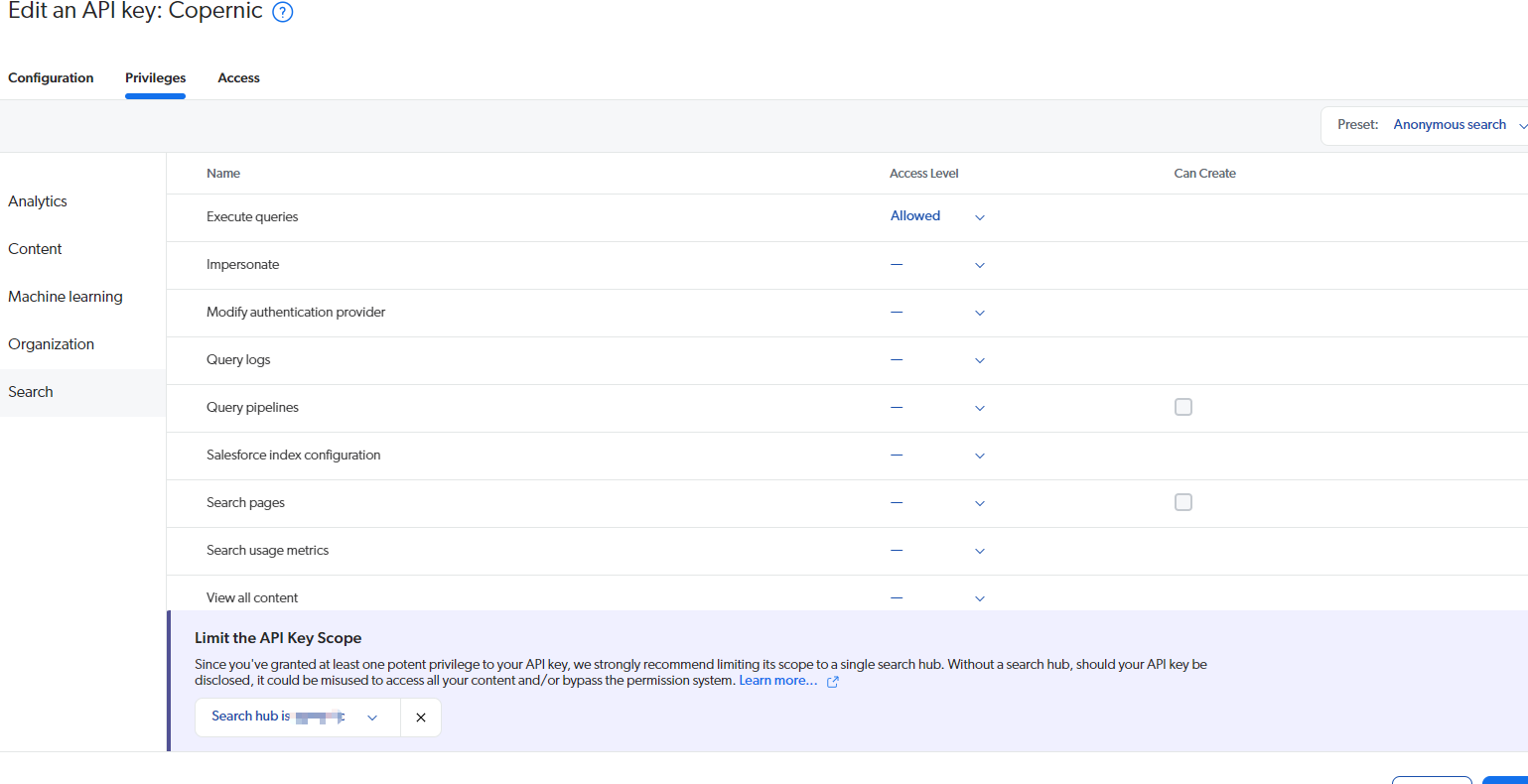
Note: using the Anonymous search preset is easier. Otherwise, you need to add the Execute queries right.
4. Facets
1). If you want to create your own facet, you should:
a. create the fields => add field -- set as facet and add Facet Generator.
b. source => your source => more => manage mappings =>add mapping item =>select the filed you created and specify the rules that to match the meta tag name
c. rebuild the source
5. Query suggestion:
1). Need both search event track and click event track on your application.
2). Use the state of the searchBoxState to map it.
1 2 3 4 5 6 7 8 9 10 11 12 13 14 15 16 17 18 19 | import { SearchBoxOptions, buildSearchBox,} from '@coveo/headless';const options: SearchBoxOptions = { numberOfSuggestions: 10, highlightOptions: { notMatchDelimiters: { open: '<span>', close: '</span>', }, exactMatchDelimiters: { open: '<strong>', close: '</strong>', }, },};export const searchBox = buildSearchBox(searchEngine, { options }); |